

What is this?
Web Chat is the website messaging section of the platform. It covers the chat widget your visitors see, the tools operators use to watch live website activity, and the knowledge base that supports self-service answers inside the chat.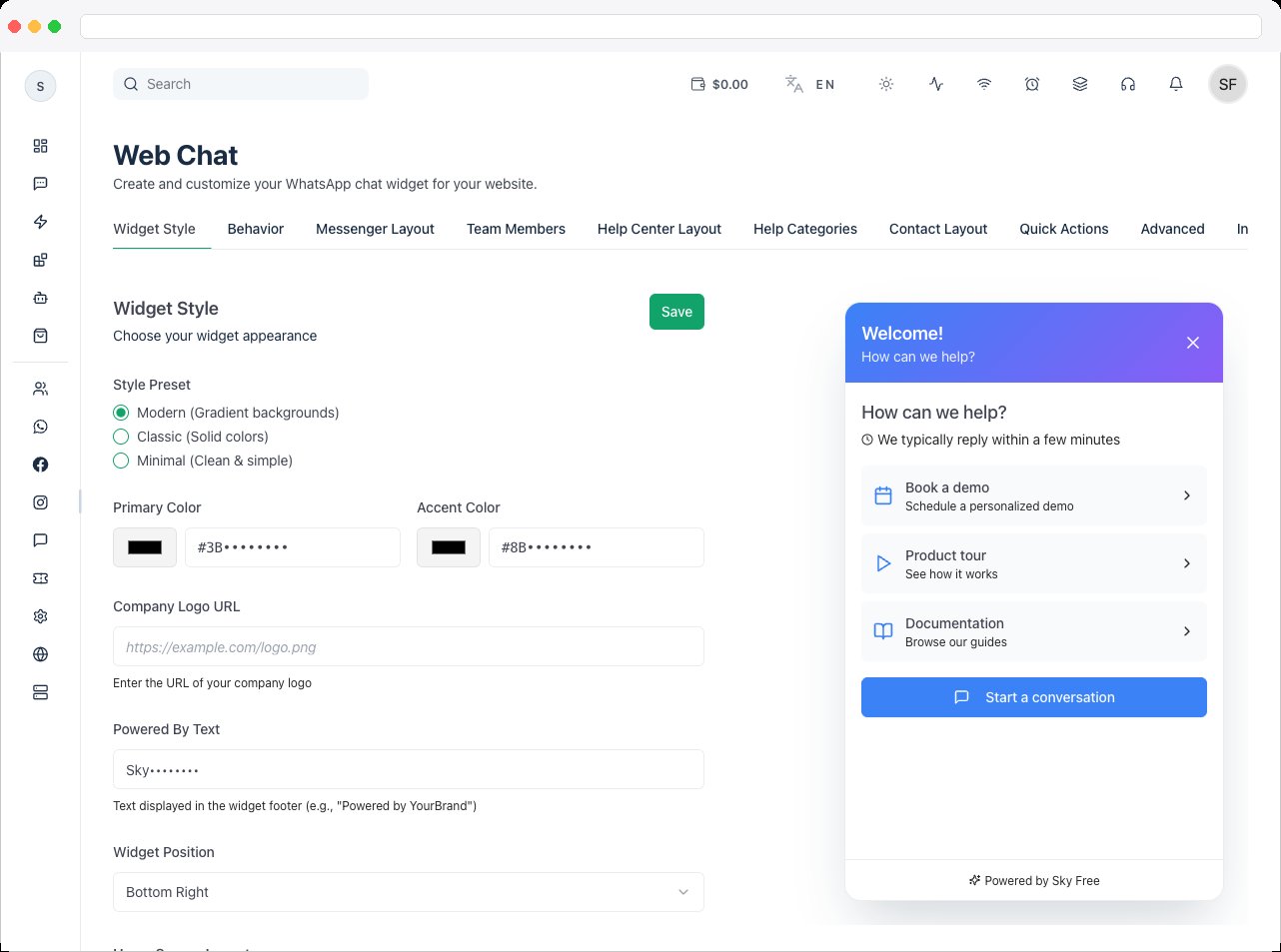
Web Chat requires an active channel with a connected Web Chat widget, and a plan that includes Web Chat. Live Monitoring and Knowledge Base are separate plan features — you’ll see an upgrade message if yours doesn’t include them. Access is controlled by the
widgetbuilder:view permission.What can I do here?
The Web Chat section is organized around three tools that work together:How to use it
- Configure the widget. Set the style, colors, layout, and behavior in the Chat Widget builder so the chat matches your site.
- Install it. Copy the installation code from the Installation Code tab and paste it into your website.
- Monitor live usage. Open Live Monitoring to confirm the widget is loading and visitors are being recorded.
- Maintain your help content. If you use the Help Center layout, keep the Knowledge Base current.
Troubleshooting / Technical Notes
- “Please save your web chat widget first to manage.” Live Monitoring and Knowledge Base only work after the widget has been created and saved in the Chat Widget builder.
- “No Web Chat Channel Connected.” Connect a Web Chat channel first — see Channels.
- Test after changes. Load your live site and check the widget after every major configuration change.