Support Tickets
Overview
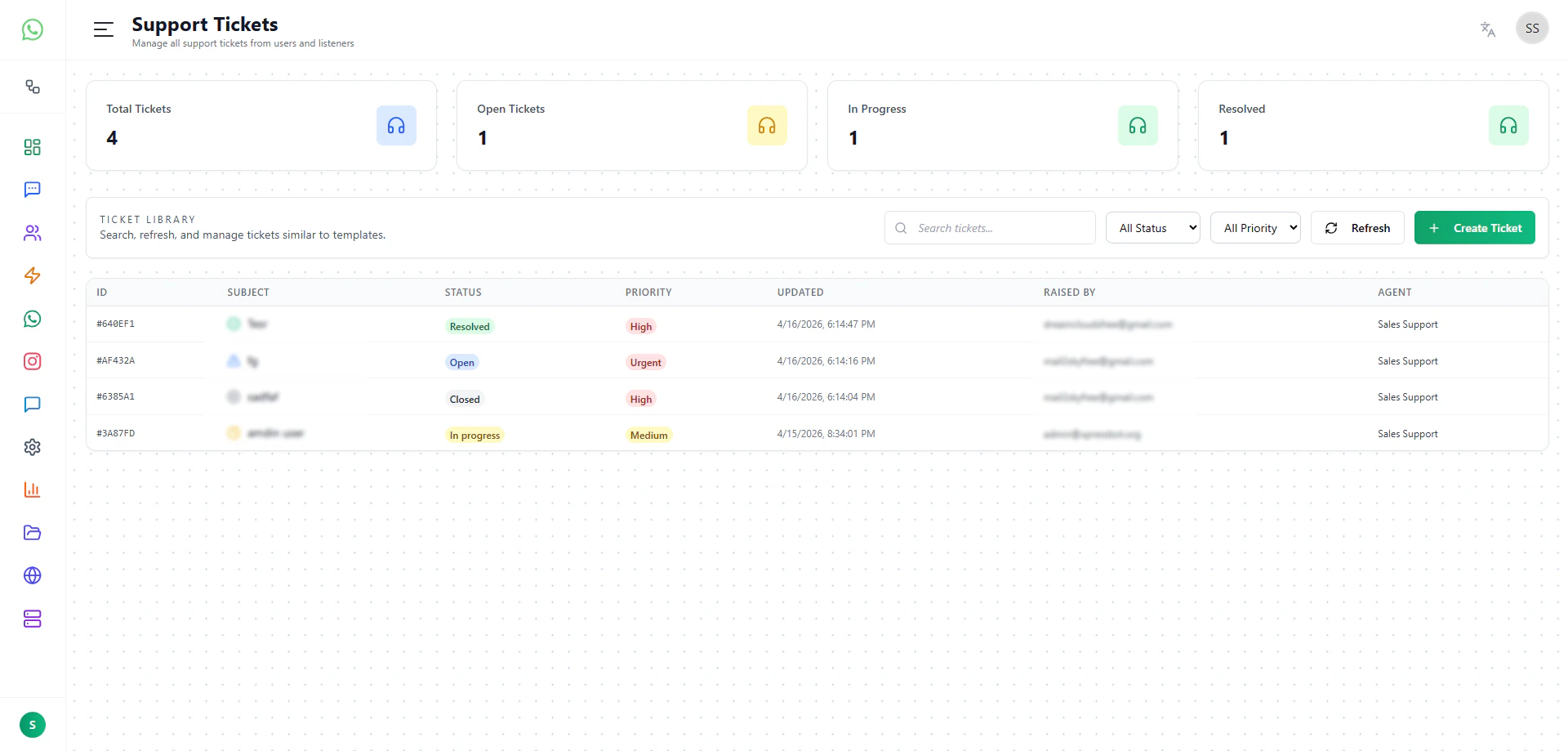
The Support Tickets page provides a built-in support system within the platform, eliminating the need for any external ticketing tool. It allows platform owners and teams to manage user queries, track issues, and respond to support requests directly from within the system.
This acts as a complete support portal integrated into your platform.
What You Can Do
The Support Tickets page allows you to:
- View all support requests raised by users
- Track ticket status and progress
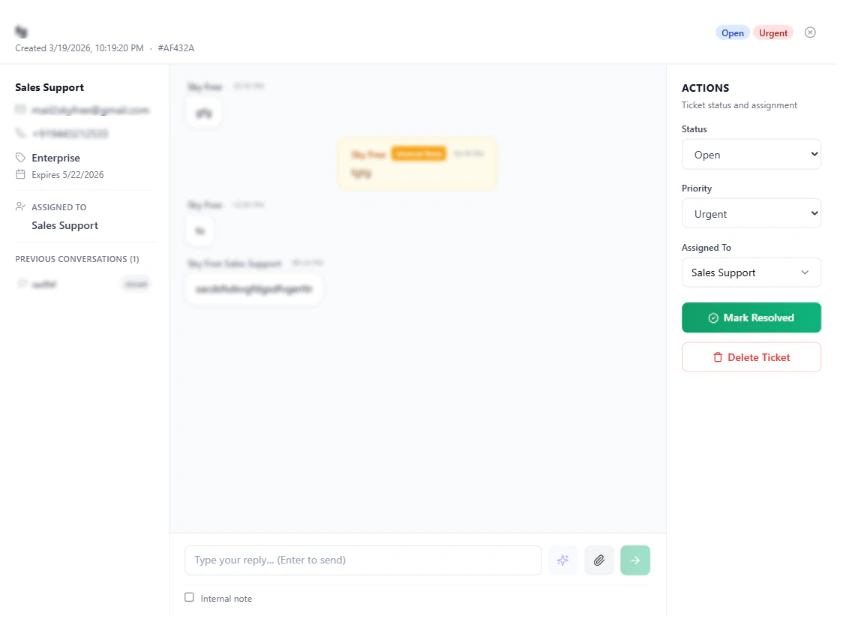
- Respond to user queries directly
- Manage and organize support conversations
- Monitor ticket activity across the platform
Built-in Support System
The platform comes with a fully functional ticketing system out of the box. Users can raise support requests, and those tickets will automatically appear here for handling.
This removes the need to integrate or maintain a separate support portal, simplifying operations and reducing overhead.
Ticket Management
Each ticket represents a user request or issue and can be managed through its lifecycle. You can review incoming tickets, update their status, and respond accordingly, ensuring smooth communication between your team and your users.
This helps maintain a structured approach to handling support queries.
Real-time Communication
Support interactions happen directly within the platform. When a ticket is updated or replied to, the system ensures that communication flows seamlessly between the user and the support team.
This improves response time and keeps all interactions centralized.
Automated Notifications
The platform automatically handles communication for ticket updates. When a reply is sent, the user receives an email notification from the system, ensuring they stay informed without requiring manual follow-ups.
Webhook Integration
The support system is integrated with webhook capabilities, allowing you to trigger external workflows when ticket events occur. This can be used to send notifications through other channels such as WhatsApp or to integrate with external systems.
Why This Page Matters
The Support Tickets page provides a complete, ready-to-use support infrastructure within your platform. It ensures that user queries are handled efficiently, communication is streamlined, and support operations are fully centralized.
Summary
The Support Tickets page acts as an integrated support portal, enabling you to manage user queries, respond to issues, and automate communication without relying on external ticketing systems.Last modified on May 18, 2026