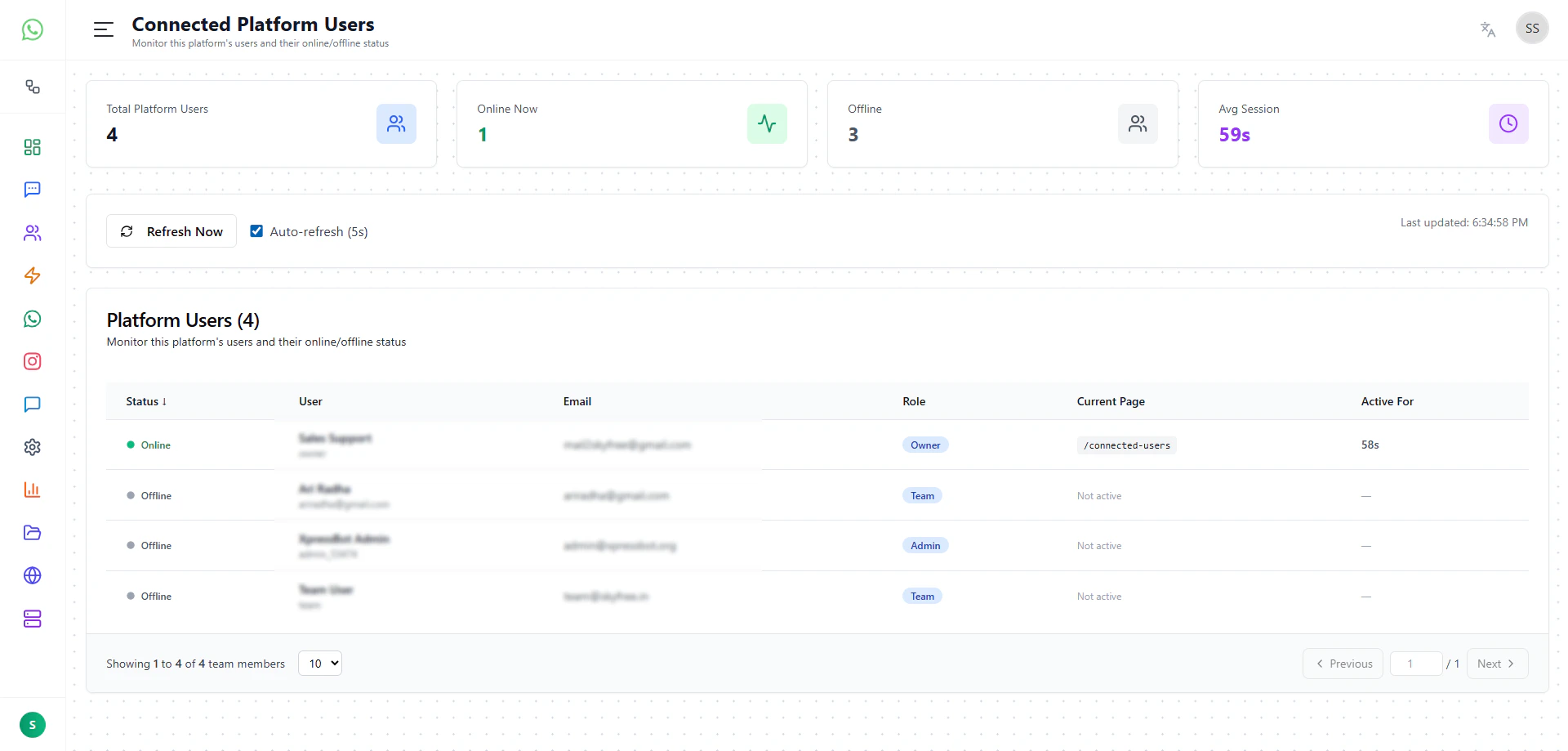
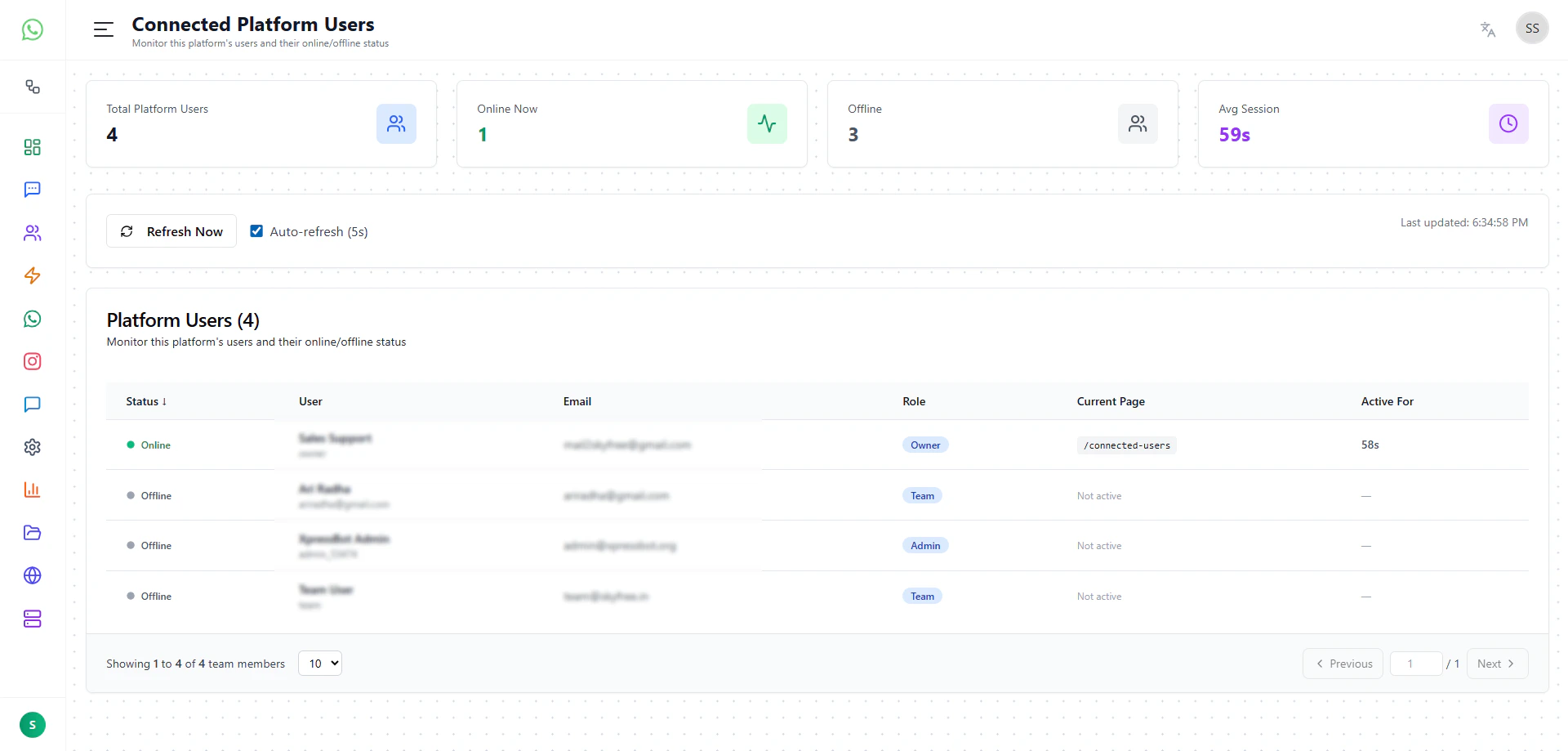
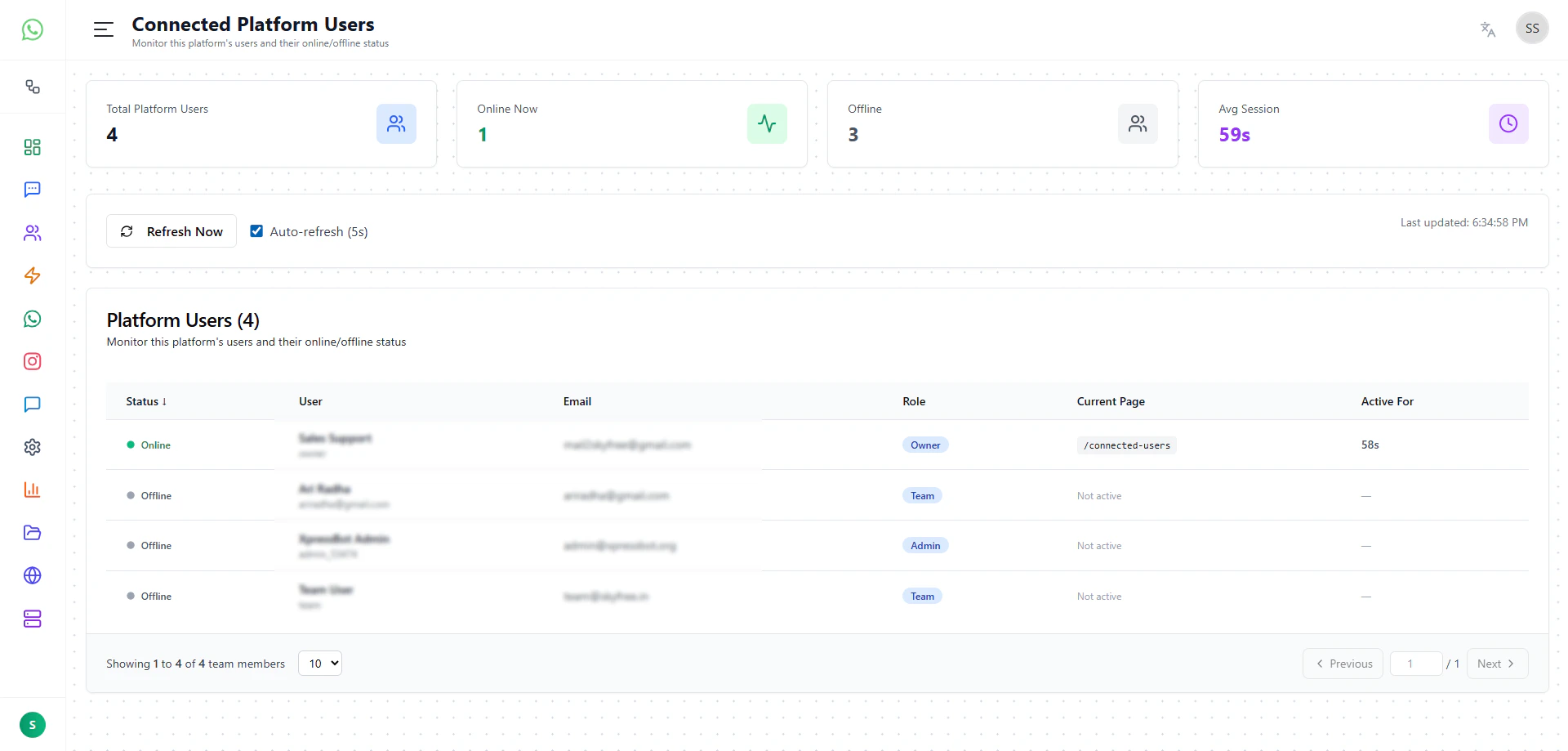
The Connected Platform Users page is designed for real-time monitoring of users who are currently active on the platform. This feature is primarily intended for administrative and support purposes.
Purpose of this page
This page allows platform owners or admins to:
- see which users are currently online
- monitor user activity in real time
- identify which page a user is currently viewing
- track session duration
- quickly detect inactive or idle users
Summary cards
At the top of the page, key metrics are displayed:
- Total Platform Users – total users in the platform
- Online Now – number of users currently active
- Offline – users not currently active
- Avg Session – average session duration of users
Live controls
- Refresh Now – manually refresh user activity
- Auto-refresh (5s) – automatically updates the data every 5 seconds
- Last Updated – shows the last refresh timestamp
User activity table
This section lists all platform users along with their real-time status.
Columns shown
- Status – indicates whether the user is online or offline
- User – user name
- Email – registered email address
- Role – role such as Owner, Admin, or Team
- Current Page – the page the user is currently viewing
- Active For – how long the user has been active in the current session
Key functionality
Real-time monitoring
Admins can instantly see:
- who is currently online
- what they are doing
- where they are navigating inside the platform
Page tracking
The Current Page field helps identify:
- which feature the user is using
- whether the user is stuck or inactive
- how users interact with different parts of the system
Session tracking
The Active For field shows:
- how long the user has been active
- session engagement duration
Use cases
This page is mainly used for:
- live support monitoring
- troubleshooting user issues in real time
- understanding user behavior
- checking if a user is currently active before assisting
- monitoring team activity within the platform
Important note
This page is read-only monitoring:
- no direct user actions (like delete or block) are performed here
- it is intended only for visibility and tracking
Last modified on May 18, 2026