> ## Documentation Index
> Fetch the complete documentation index at: https://docs.xpressbot.org/llms.txt
> Use this file to discover all available pages before exploring further.
# Conversations list
The left panel is the working queue.
### View all conversations
Access all conversations across connected channels in one place.\
This gives a complete picture of incoming and ongoing interactions.
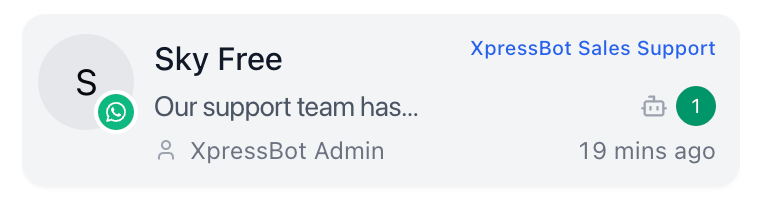 ### Identify unread or recent activity
Quickly spot conversations that need attention using timestamps and unread indicators.\
This helps prioritize urgent messages.
### Prioritize conversations
Decide which conversation to handle next based on activity, status, or importance.\
This ensures faster response for critical queries.
### Switch between conversations
Move between conversations instantly without leaving the screen.\
This allows operators to handle multiple chats efficiently.
### Why it matters
The conversation list is the entry point for all actions in Inbox.
* Reduces time spent searching
* Prevents opening the wrong conversation
* Keeps workflow focused and efficient
### Identify unread or recent activity
Quickly spot conversations that need attention using timestamps and unread indicators.\
This helps prioritize urgent messages.
### Prioritize conversations
Decide which conversation to handle next based on activity, status, or importance.\
This ensures faster response for critical queries.
### Switch between conversations
Move between conversations instantly without leaving the screen.\
This allows operators to handle multiple chats efficiently.
### Why it matters
The conversation list is the entry point for all actions in Inbox.
* Reduces time spent searching
* Prevents opening the wrong conversation
* Keeps workflow focused and efficient